

Docker
Pack the parts an app needs
Imagine two apps running on one shared computer, each in its own workspace. They use the same machine, but each workspace keeps its app’s files and settings separate by default. Docker packages the files and supporting software an app needs into an image. Starting the image creates a container, the running app with its own writable files.
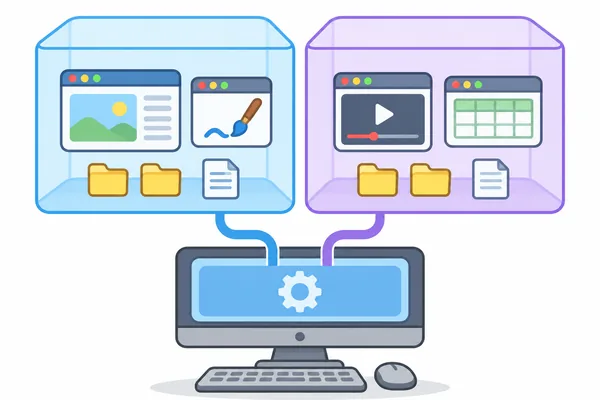
A container gives an app a separate working space on a shared computer.
You can build an image from a Dockerfile, a text file of build instructions. In the first commands below, the final . points to the current directory:
docker build -t notes-api:dev .
docker image ls
That directory is the build context, the set of files sent to the builder. A .dockerignore file keeps unrelated files, local caches, or credentials out of that context. Docker builds images in layers, one for each group of instructions. If an early instruction changes, later steps may need to run again. Put stable dependencies before frequently changed app files when that suits the app.
The name notes-api:dev gives the image a tag, a label for identifying a build. For deployment, use a release tag or a digest, a fixed identifier for the exact image contents, and record where the image came from. A tag such as latest can point to different contents over time. A registry is a service for storing and sharing images so machines can pull or publish them.
Run the image and check the app
The next commands start a container named notes, send host port 8080 to port 8000 inside it, then show its state and logs:
docker run -d --name notes -p 127.0.0.1:8080:8000 notes-api:dev
docker ps
docker logs notes
The host address 127.0.0.1 limits this port mapping to the local machine. The app must listen on an address reachable from inside the container, commonly 0.0.0.0, for the mapping to work. docker ps shows running containers and docker logs shows the app's output. If the image includes a shell, docker exec -it notes sh opens one inside the running container. Record settings that should be reused after replacement in the Dockerfile or in the run or Compose configuration that creates the next container.
The docker command is a client that sends requests to the Docker daemon, a background service that builds images and manages containers, networks for connecting them, and volumes for data that should outlive a container. Several containers can run from the same image, each with its own writable layer. The main process determines when a container stops. Removing the container deletes its writable layer, while the image stays on disk. A named volume has a separate lifetime. Attach one such as notes-data to the app's data directory when data must survive replacement, and use a backup process that has been tested.
On Linux, containers use facilities from the host kernel. Namespaces give them separate views of resources; cgroups account for or limit resource use. The daemon and host kernel still control important parts of the container, so they must also be protected. Give the app only the permissions it needs, avoid broad host mounts, and restrict access to the daemon.
Interactive exercises
Materials
- Introduction to docker compose | Docker - YouTubeLink to my programming Video Library: https://courses.LearnCodeOnline.in Pick best UI color for your projects: https://UIColorPicker.com Desktop: https://amz...
- What is Docker? - YouTubeIn this Video: We'll see : What is docker? Why we need docker? Docker Engine, Docker Container Hypervisor Support by becoming a Member : https://www.youtube....





