

Linux: process management
When programs run
Think of opening a music player and letting it start a helper that reads a song. The player and helper are two running processes, even though you started only one program. A process is one active instance of a program. Each process does its own work, and one process can start others that depend on it.
Linux keeps a record for each process. The operating system's core, called the kernel, gives each one a process ID or PID, a temporary number used to identify it. The kernel also records the process state, permissions, and the ID of the process that started it, called the PPID. This parent-child relationship forms a process tree. A child can start children of its own.
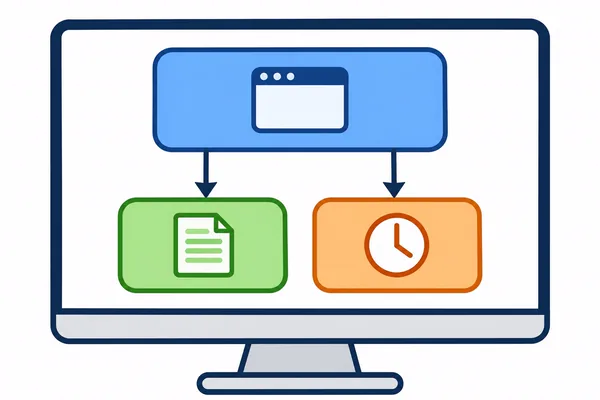
A running program can start other processes to handle separate jobs.
Take a snapshot
ps takes a snapshot of processes. On procps-ng systems, this command sorts the selected fields by CPU use and shows the highest entries first:
ps -eo pid,ppid,stat,etime,%cpu,%mem,comm --sort=-%cpu | head
The columns are PID, PPID, state, elapsed time, CPU and memory percentages, and command name. They describe one moment. Use top or another monitor to watch values change. The state field uses short codes: R means running or ready to run, S means interruptible sleep, D means uninterruptible sleep, T means stopped, and Z means a terminated process whose parent has not collected its exit status. A Z process has finished; only its process-table record remains until its parent collects the status.
To search by name, pgrep -a -x sshd prints PIDs for processes whose names exactly match sshd, along with their command lines. Names can still be ambiguous, and other tools may shorten command names. Inspect a candidate with ps before acting. A PID is temporary: after a process exits, Linux can reuse its number for an unrelated process.
Follow the parent and the service
A tree view adds parent-child context. ps -ejH and ps axjf are procps-ng forms that show process relationships. They use different option styles, so check the local ps manual if one is unavailable. For commands launched from the current interactive shell, jobs -l shows that shell's jobs and their PIDs. A shell job such as %1 is a job-control identifier, not a system-wide PID. One job may contain several processes, such as the commands in a pipeline.
A process managed by systemd should usually be controlled through its unit, the service's configuration and lifecycle record. systemctl status name.service reports the unit's state and process information. Use the manager's stop, start, or restart operation when changing a service. Killing one PID can leave children behind or cause the manager to restart it. Other Linux systems use different service managers.
When investigating a busy service, capture a process snapshot, verify the PID and its parent, then check the unit that owns it. A second sample or live monitor can show whether CPU use continues; the first ps output alone cannot.
Interactive exercises
Materials
- LINUX || FORK & EXEC || PROCESS || HINDI - YouTubeIn this above tutorials you will get to know about the forking of a process and also the working of exec command while forking.Forking is used when we go fro...




